

If your IT budget only covers computers, Microsoft 365, and the occasional repair, it is probably missing several costs. Your business may also be paying for software subscriptions, cloud storage, backups, security tools, internet services, phone systems, websites, network equipment, staff training, and outside IT support. Some of those costs appear every month. Others arrive once a year or only when equipment needs to be replaced. Without a complete budget, an annual renewal or failed computer can become an expense the business did not prepare for. A detailed IT budget shows what you are paying for now, what will need to be replaced, and which improvements are planned for the year. There Is No Standard IT Budget for Every Small Business Online benchmarks often suggest spending a certain percentage of revenue on technology. That percentage may have little connection to what your business needs. A ten-person law firm, a retailer, and a manufacturing business can have similar revenue but completely different systems. The number of employees, business locations, devices, cloud services, security requirements, and customer obligations all affect the budget. Consider how much the business depends on each system. If losing internet access would stop customer payments, the internet connection needs more attention than it would in a business that can continue working offline. If employees work with sensitive financial or health information, security and compliance costs may be higher. Calculate the cost of the systems your business needs first. Revenue-based benchmarks can then provide context, but they should not determine the budget. Start With a Complete Technology Inventory You cannot budget properly if you do not know what the business owns and pays for. Create an inventory of computers, phones, tablets, printers, servers, network equipment, software, cloud services, websites, domains, backup systems, and phone services. Record who uses each item, what it costs, when it renews, who manages it, and how important it is to the business. Include the supplier, contract term, billing frequency, and account owner. The NIST Cybersecurity Framework 2.0 Small Business Quick Start Guide recommends maintaining an inventory of hardware, software, systems, and services. It also recommends recording the effect on the business if an important asset becomes unavailable. Check invoices, company credit cards, bank statements, app stores, and department expenses. Software purchased directly by an employee may not appear in the main IT records. The inventory may reveal duplicate services, licenses assigned to former employees, equipment that no longer receives updates, or subscriptions that no one uses. Budget for Computers and Other Equipment Include every physical device the business expects to purchase or replace during the year.

Employees often use personal devices for work before the business has made a decision about it. They add work email to a phone, download a file to a home laptop, or sign into a company app from a computer shared with family. Once business data is stored on a personal device, you have less control over updates, installed apps, backups, and who else uses the device. You also need a way to remove company data when the employee leaves or the device is lost. Personal devices can be allowed, but the business should decide which devices, applications, and types of work are permitted. What BYOD includes Bring your own device, usually shortened to BYOD, means an employee uses a personally owned phone, tablet, or computer for work. That can include: Adding work email to a personal phone Signing into Microsoft 365 or Google Workspace Joining online meetings Opening customer or company files Using a business messaging app Accessing accounting, CRM, or project management software Downloading documents to a personal computer Depending on the application, business information may remain in the cloud or be downloaded to the device as messages, attachments, cached data, or files. What you cannot fully control on a personal device Your IT team can set and monitor security on company-owned devices. With personal devices, employees choose which apps to install, when to update the operating system, who else uses the device, and where files are backed up.
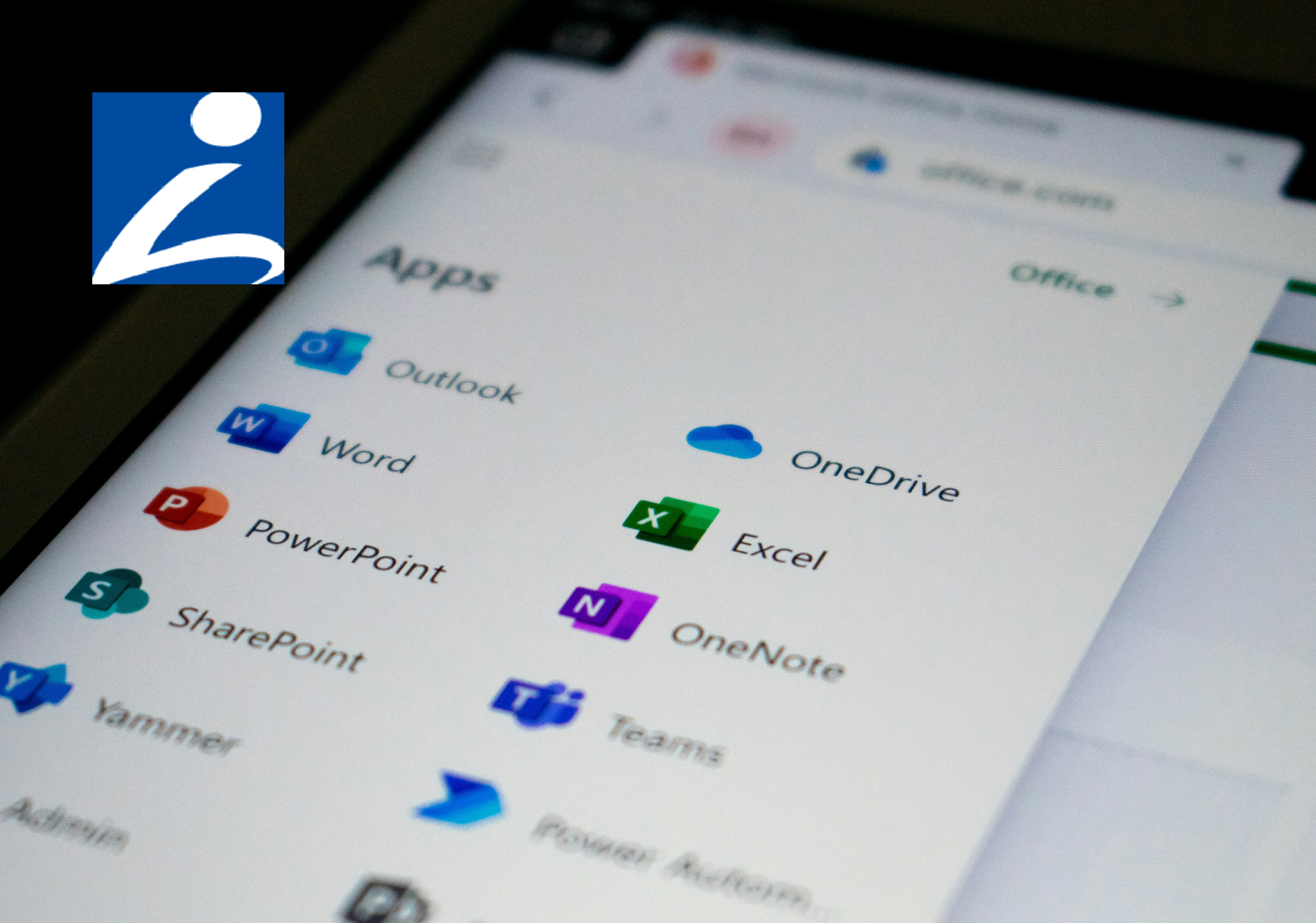
If your business runs on Microsoft 365, you've got two places to store files: OneDrive and SharePoint. Most people are never told the difference, so files end up wherever is easiest, spread across OneDrive, SharePoint, Teams, and the desktop. That's how you end up with the everyday headaches: a file nobody can find, a document only one person can open, and a scramble to recover someone's work after they leave. The rule for where things should go is simple once you know what each one is for. What each one is for OneDrive is your own space. Think of it as the cloud version of the My Documents folder on your computer: your work files, private to you unless you choose to share them. It's the right place for drafts and anything only you need. SharePoint is the team's space. It's built for files with shared ownership, the documents your team, department, or the whole business works on together. Microsoft's own advice is straightforward: if you're working on something by yourself, save it to OneDrive; if you're working as a team, save it where the team works. Where Teams fits in Microsoft Teams confuses this for a lot of people, because it looks like a third place to keep files. In reality, when you upload a file to a Teams channel, it's stored in that team's SharePoint site. The Files tab in Teams is just a view into SharePoint. So if your team works in Teams, your shared files are already in SharePoint, whether you realized it or not. That's a good thing. It means the files have shared ownership and don't belong to one person's account. So where should your files live? Here's the rule that keeps things simple: If it's your own draft or something only you need, keep it in OneDrive. If the team needs it, more than one person works on it, or it's a client or project file, put it in SharePoint (or the Teams channel for that work, which is the same thing). Don't leave important shared files sitting only on someone's desktop or only in their personal OneDrive. Sharing files the right way Where a file lives also changes how you share it. When you share a file from your OneDrive, you're sending people into your personal space, usually with a link tied to your account. That works, but the link depends on you. If you leave, or the file moves, those links can stop working, and whoever relied on them is stuck. In SharePoint or a Teams channel, the right people already have access, because the files belong to the team rather than to you. You can point a colleague to the folder and they're in, with no one-off links to manage. It's also worth sharing a link instead of emailing a copy. When everyone opens the same file in OneDrive or SharePoint, they're all looking at the current version, and you avoid ending up with five slightly different copies attached to five different emails. Why this matters Putting files in the right place saves you real trouble later. Take what happens when someone leaves. Their personal OneDrive isn't shared by default, so any important work kept only there can be hard to reach. Microsoft holds a deleted user's OneDrive for 30 days by default and gives their manager access, but that turns into a rush against the clock. Files kept in SharePoint stay with the team no matter who comes or goes. It also makes files easier to find. When the team's documents live in one shared SharePoint library, people know where to look, instead of hunting through inboxes and personal drives. And it helps you recover from mistakes. Both OneDrive and SharePoint keep older versions of your files and a recycle bin, so if a document gets overwritten or ransomware scrambles your files, you can roll back to a clean copy instead of starting over: How to get it right Put shared work in SharePoint or Teams. Anything the team works on together belongs in a shared library. Keep it out of one person's OneDrive. Keep OneDrive for your own files. Drafts and personal work are fine there. Just don't let it become the only home for something the team needs. Get files off local desktops. A file saved only on a laptop isn't backed up, isn't shared, and is gone if the laptop is lost. Move important files into OneDrive or SharePoint. You can still work from your computer the way you always have: the OneDrive app keeps a copy on the device for offline use and saves your changes to the cloud automatically. Agree where things go. A simple, shared rule, like "client files live in the client's SharePoint folder," saves endless confusion later. Use version history when you need it. If a file gets changed or deleted by mistake, you or your IT provider can restore an earlier version rather than redoing the work. Frequently Asked Questions What's the key difference between OneDrive and SharePoint? OneDrive is for your own work files. SharePoint is for files your team shares. Where do files in a Teams channel get stored? In SharePoint. Every team has a SharePoint site behind it, and the Files tab in a channel is a view into that site. Uploading a file to Teams is the same as putting it in SharePoint. Should I keep work files on my computer's desktop? Try not to, for anything important. A file only on your desktop isn't shared or backed up, and it's gone if the device is lost or breaks. Save it to OneDrive or SharePoint instead, where it's protected and reachable. What happens to files in someone's OneDrive when they leave? By default, Microsoft keeps a deleted user's OneDrive for 30 days and gives their manager access, and that window can be extended if it's set up in advance. It's recoverable, but it's far easier if shared work was in SharePoint to begin with. Can I get back a file that was deleted or changed by mistake? Usually, yes. OneDrive and SharePoint both keep a recycle bin and older versions of files, so you can restore a deleted file or roll back to an earlier version. Your IT provider can help if you can't find it. Article used with permission from The Technology Press.
If your IT budget only covers computers, Microsoft 365, and the occasional repair, it is probably missing several costs. Your business may also be paying for software subscriptions, cloud storage, backups, security tools, internet services, phone systems, websites, network equipment, staff training, and outside IT support. Some of those costs appear every month. Others arrive once a year or only when equipment needs to be replaced. Without a complete budget, an annual renewal or failed computer can become an expense the business did not prepare for. A detailed IT budget shows what you are paying for now, what will need to be replaced, and which improvements are planned for the year. There Is No Standard IT Budget for Every Small Business Online benchmarks often suggest spending a certain percentage of revenue on technology. That percentage may have little connection to what your business needs. A ten-person law firm, a retailer, and a manufacturing business can have similar revenue but completely different systems. The number of employees, business locations, devices, cloud services, security requirements, and customer obligations all affect the budget. Consider how much the business depends on each system. If losing internet access would stop customer payments, the internet connection needs more attention than it would in a business that can continue working offline. If employees work with sensitive financial or health information, security and compliance costs may be higher. Calculate the cost of the systems your business needs first. Revenue-based benchmarks can then provide context, but they should not determine the budget. Start With a Complete Technology Inventory You cannot budget properly if you do not know what the business owns and pays for. Create an inventory of computers, phones, tablets, printers, servers, network equipment, software, cloud services, websites, domains, backup systems, and phone services. Record who uses each item, what it costs, when it renews, who manages it, and how important it is to the business. Include the supplier, contract term, billing frequency, and account owner. The NIST Cybersecurity Framework 2.0 Small Business Quick Start Guide recommends maintaining an inventory of hardware, software, systems, and services. It also recommends recording the effect on the business if an important asset becomes unavailable. Check invoices, company credit cards, bank statements, app stores, and department expenses. Software purchased directly by an employee may not appear in the main IT records. The inventory may reveal duplicate services, licenses assigned to former employees, equipment that no longer receives updates, or subscriptions that no one uses. Budget for Computers and Other Equipment Include every physical device the business expects to purchase or replace during the year.
Employees often use personal devices for work before the business has made a decision about it. They add work email to a phone, download a file to a home laptop, or sign into a company app from a computer shared with family. Once business data is stored on a personal device, you have less control over updates, installed apps, backups, and who else uses the device. You also need a way to remove company data when the employee leaves or the device is lost. Personal devices can be allowed, but the business should decide which devices, applications, and types of work are permitted. What BYOD includes Bring your own device, usually shortened to BYOD, means an employee uses a personally owned phone, tablet, or computer for work. That can include: Adding work email to a personal phone Signing into Microsoft 365 or Google Workspace Joining online meetings Opening customer or company files Using a business messaging app Accessing accounting, CRM, or project management software Downloading documents to a personal computer Depending on the application, business information may remain in the cloud or be downloaded to the device as messages, attachments, cached data, or files. What you cannot fully control on a personal device Your IT team can set and monitor security on company-owned devices. With personal devices, employees choose which apps to install, when to update the operating system, who else uses the device, and where files are backed up.
If your business runs on Microsoft 365, you've got two places to store files: OneDrive and SharePoint. Most people are never told the difference, so files end up wherever is easiest, spread across OneDrive, SharePoint, Teams, and the desktop. That's how you end up with the everyday headaches: a file nobody can find, a document only one person can open, and a scramble to recover someone's work after they leave. The rule for where things should go is simple once you know what each one is for. What each one is for OneDrive is your own space. Think of it as the cloud version of the My Documents folder on your computer: your work files, private to you unless you choose to share them. It's the right place for drafts and anything only you need. SharePoint is the team's space. It's built for files with shared ownership, the documents your team, department, or the whole business works on together. Microsoft's own advice is straightforward: if you're working on something by yourself, save it to OneDrive; if you're working as a team, save it where the team works. Where Teams fits in Microsoft Teams confuses this for a lot of people, because it looks like a third place to keep files. In reality, when you upload a file to a Teams channel, it's stored in that team's SharePoint site. The Files tab in Teams is just a view into SharePoint. So if your team works in Teams, your shared files are already in SharePoint, whether you realized it or not. That's a good thing. It means the files have shared ownership and don't belong to one person's account. So where should your files live? Here's the rule that keeps things simple: If it's your own draft or something only you need, keep it in OneDrive. If the team needs it, more than one person works on it, or it's a client or project file, put it in SharePoint (or the Teams channel for that work, which is the same thing). Don't leave important shared files sitting only on someone's desktop or only in their personal OneDrive. Sharing files the right way Where a file lives also changes how you share it. When you share a file from your OneDrive, you're sending people into your personal space, usually with a link tied to your account. That works, but the link depends on you. If you leave, or the file moves, those links can stop working, and whoever relied on them is stuck. In SharePoint or a Teams channel, the right people already have access, because the files belong to the team rather than to you. You can point a colleague to the folder and they're in, with no one-off links to manage. It's also worth sharing a link instead of emailing a copy. When everyone opens the same file in OneDrive or SharePoint, they're all looking at the current version, and you avoid ending up with five slightly different copies attached to five different emails. Why this matters Putting files in the right place saves you real trouble later. Take what happens when someone leaves. Their personal OneDrive isn't shared by default, so any important work kept only there can be hard to reach. Microsoft holds a deleted user's OneDrive for 30 days by default and gives their manager access, but that turns into a rush against the clock. Files kept in SharePoint stay with the team no matter who comes or goes. It also makes files easier to find. When the team's documents live in one shared SharePoint library, people know where to look, instead of hunting through inboxes and personal drives. And it helps you recover from mistakes. Both OneDrive and SharePoint keep older versions of your files and a recycle bin, so if a document gets overwritten or ransomware scrambles your files, you can roll back to a clean copy instead of starting over: How to get it right Put shared work in SharePoint or Teams. Anything the team works on together belongs in a shared library. Keep it out of one person's OneDrive. Keep OneDrive for your own files. Drafts and personal work are fine there. Just don't let it become the only home for something the team needs. Get files off local desktops. A file saved only on a laptop isn't backed up, isn't shared, and is gone if the laptop is lost. Move important files into OneDrive or SharePoint. You can still work from your computer the way you always have: the OneDrive app keeps a copy on the device for offline use and saves your changes to the cloud automatically. Agree where things go. A simple, shared rule, like "client files live in the client's SharePoint folder," saves endless confusion later. Use version history when you need it. If a file gets changed or deleted by mistake, you or your IT provider can restore an earlier version rather than redoing the work. Frequently Asked Questions What's the key difference between OneDrive and SharePoint? OneDrive is for your own work files. SharePoint is for files your team shares. Where do files in a Teams channel get stored? In SharePoint. Every team has a SharePoint site behind it, and the Files tab in a channel is a view into that site. Uploading a file to Teams is the same as putting it in SharePoint. Should I keep work files on my computer's desktop? Try not to, for anything important. A file only on your desktop isn't shared or backed up, and it's gone if the device is lost or breaks. Save it to OneDrive or SharePoint instead, where it's protected and reachable. What happens to files in someone's OneDrive when they leave? By default, Microsoft keeps a deleted user's OneDrive for 30 days and gives their manager access, and that window can be extended if it's set up in advance. It's recoverable, but it's far easier if shared work was in SharePoint to begin with. Can I get back a file that was deleted or changed by mistake? Usually, yes. OneDrive and SharePoint both keep a recycle bin and older versions of files, so you can restore a deleted file or roll back to an earlier version. Your IT provider can help if you can't find it. Article used with permission from The Technology Press.